
What I Was Trying to Accomplish
I run a lot of meetings.
Client calls. Team syncs. Project check-ins. Most of them are recorded. Most of them produce action items. Most of them need a follow-up email.
The problem is what happens after the meeting. I have a 45-minute recording. I need to turn it into notes. I need to pull out action items. I need to draft a follow-up email. And I need to do it before the details fade.
This used to take me an hour. Now it takes about 15 minutes. Here's the workflow I built.
What I Used
Tools: A general-purpose AI assistant (free tier) and a transcription tool
Input: A 45-minute meeting recording
Time available: 15 minutes
Goal: Notes, action items, and a follow-up email draft
The Workflow
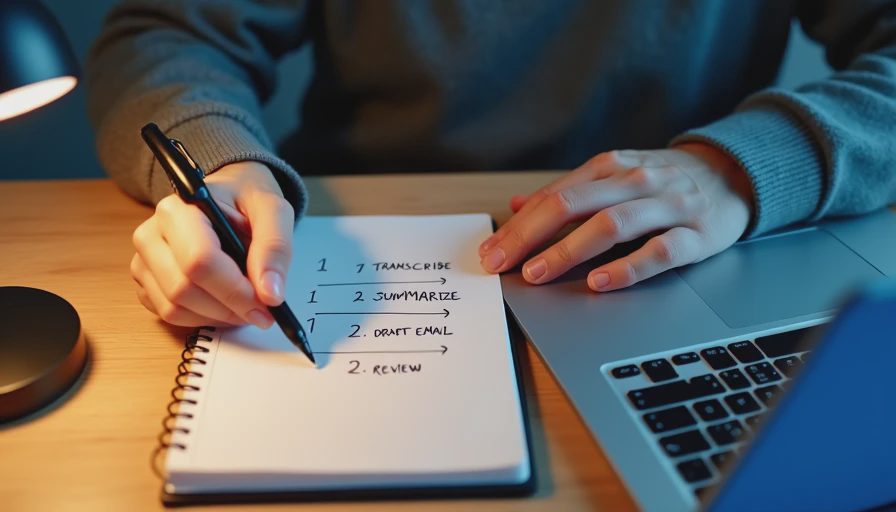
The workflow has four steps. Each step takes about 3-4 minutes.
Step 1: Transcribe. I run the recording through a transcription tool. It takes about 2 minutes to process a 45-minute recording. I get a text transcript.
Step 2: Summarize and extract. I paste the transcript into the AI tool and ask for a summary and action items.
Step 3: Draft the follow-up email. I ask the AI to draft a follow-up email based on the summary and action items.
Step 4: Review and edit. I read through everything. I fix errors. I add context. I send.
Four steps. Fifteen minutes.
The Prompts
Here are the exact prompts I use.
Prompt 1: Summary and action items
"Here is a transcript from a 45-minute meeting. Please provide:
A summary of the meeting (under 300 words).
A list of action items, with the person responsible and any deadline mentioned.
Any decisions that were made.
Any open questions that were not resolved.
Use plain language. Do not add information that is not in the transcript. If you are not sure about something, say 'unclear' rather than guessing."
Prompt 2: Follow-up email
"Write a follow-up email based on this summary and action items. Keep it under 200 words. Friendly but professional tone. Include a clear next step. Do not add information that is not in the summary."
The Result
Here's what the workflow produced for a recent meeting.
Transcript: 45 minutes, about 6,500 words.
Summary (AI-generated):
The team discussed the Q4 content calendar, the new landing page, and the client feedback process. Key decisions: the landing page will launch in November, the content calendar will be finalized next week, and the client feedback process will move to a shared spreadsheet. Action items: [Person A] to finalize the content calendar by Friday, [Person B] to review the landing page copy by Wednesday, [Person C] to set up the shared spreadsheet by Monday.
Action items (AI-generated):
Finalize content calendar — [Person A] — Friday
Review landing page copy — [Person B] — Wednesday
Set up shared spreadsheet — [Person C] — Monday
Follow-up email (AI-generated):
Hi team, thanks for the productive discussion today. Quick recap: the landing page will launch in November, the content calendar will be finalized next week, and the client feedback process will move to a shared spreadsheet. Action items: [Person A] to finalize the content calendar by Friday, [Person B] to review the landing page copy by Wednesday, [Person C] to set up the shared spreadsheet by Monday. Let me know if I missed anything. Thanks.
What I edited: I added context about why the landing page was delayed. I clarified one action item that the AI got slightly wrong. I added a note about the next meeting. I rewrote the opening to sound more like me.
What the Workflow Does Well
It's fast. Fifteen minutes from recording to follow-up email. That's faster than doing it manually.
It's consistent. I use the same prompts every time. The output format is consistent.
It extracts action items. The AI pulls out action items I might have missed. It catches deadlines. It catches names.
It gives me a starting point. Instead of staring at a transcript, I have a summary, action items, and a draft email.
It's repeatable. I've used this workflow dozens of times. It works every time.
What Still Needs My Attention
It misses context. The AI doesn't know the relationships. It doesn't know the history. It doesn't know what's sensitive.
It gets names wrong. The transcription tool sometimes mishears names. The AI sometimes confuses speakers. I have to check.
It misses nuance. Tone, emphasis, and emotion don't come through in a transcript. The AI doesn't know when someone was frustrated or excited.
It misses the unspoken. The most important part of a meeting is often what wasn't said. The AI can't know that.
It misses the relationship. The follow-up email might need to be formal or informal depending on the recipient. The AI doesn't know the relationship.
The Math
Without the workflow: Transcribing, summarizing, extracting action items, and writing a follow-up email took about 60 minutes.
With the workflow: Transcribing, summarizing, extracting action items, drafting the email, and editing took about 15 minutes.
Time saved: About 45 minutes per meeting. That's real.
What I'd Change
I'm still refining the workflow. Here's what I'm considering.
Adding a relationship line. Something like "This is for a client" or "This is for my team." That might help the AI adjust the tone.
Adding a sensitivity line. Something like "This meeting included sensitive information about X." That might help the AI know what to avoid.
Adding a format line. Something like "Use this exact format for action items: [Task] — [Person] — [Deadline]." That might help.
Using a different transcription tool. The one I use is fine, but it sometimes mishears names. I'm testing alternatives.
My Question for You
What does your meeting workflow look like?
Do you record your meetings? Do you use AI to summarize them? Do you have a different process?
I'm curious what works for other people. I've been using this workflow for a few months. It's not perfect, but it's better than spending an hour on meeting follow-up.


