
What I Was Trying to Accomplish
Every Monday, I plan content for the week.
Not just one post. Multiple posts. Different platforms. Different formats. Blog. Newsletter. Social. Video. It's a lot to coordinate.
This used to take me about 3 hours. I'd open a blank spreadsheet. I'd stare at it. I'd try to remember what worked last week. I'd brainstorm. I'd organize. I'd give up and do something else.
Now it takes me about 30 minutes. Here's the workflow I built.
What I Used
Tools: A general-purpose AI assistant (free tier) and a spreadsheet (Google Sheets)
Input: Last week's content performance, this week's goals, and a running list of ideas
Time available: 30 minutes
Goal: A weekly content plan with topics, formats, platforms, and deadlines
The Workflow
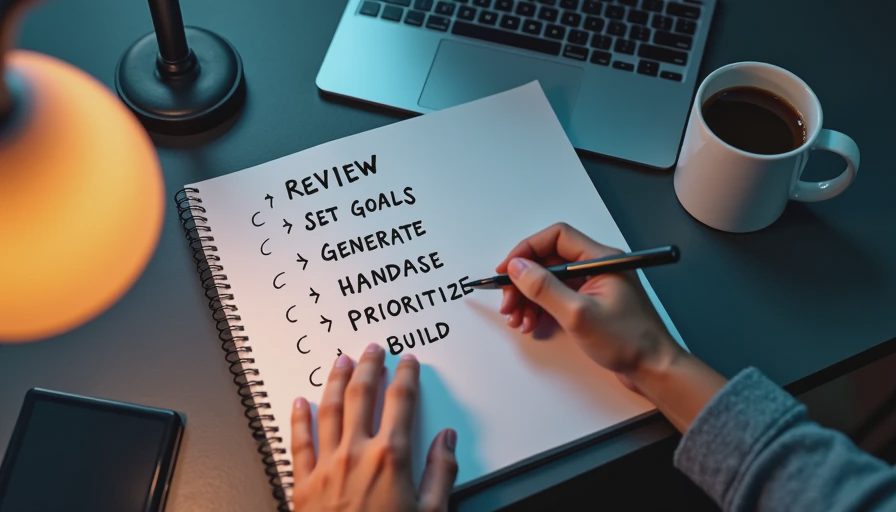
The workflow has five steps.
Step 1: Review last week. I paste last week's content performance into the AI tool. I ask for a summary of what worked and what didn't.
Step 2: Set this week's goals. I tell the AI what I'm trying to accomplish this week. More engagement? More leads? More brand awareness?
Step 3: Generate ideas. I paste my running list of ideas and ask the AI to suggest 10-15 content ideas for the week.
Step 4: Prioritize and organize. I ask the AI to prioritize the ideas and organize them by platform and format.
Step 5: Build the spreadsheet. I paste the organized plan into a spreadsheet. One column for topic, one for format, one for platform, one for deadline.
Five steps. About 30 minutes.
The Prompts
Here are the exact prompts I use.
Prompt 1: Review last week
"Here is last week's content performance. Summarize what worked and what didn't. Be specific. Use plain language. Do not add information that is not in the data."
Prompt 2: Generate ideas
"Here are my content goals for this week: [goals]. Here is my running list of ideas: [ideas]. Suggest 10-15 content ideas that align with my goals. For each idea, include a suggested format (blog, newsletter, social, video) and a suggested platform (LinkedIn, Twitter, YouTube, etc.)."
Prompt 3: Prioritize and organize
"Prioritize these ideas. Which ones should I do first? Which ones can wait? Organize them by day of the week. Consider my available time: [hours]. Consider my audience: [audience]."
The Result
Here's what the workflow produced for a recent week.
Summary of last week (AI-generated):
Last week, your LinkedIn posts had the highest engagement. Your newsletter had the highest click-through rate. Your blog posts had the lowest engagement. Video had moderate engagement but low completion rate.
Content ideas (AI-generated):
"How we solved [problem]" — blog post — Monday
"3 lessons from [project]" — LinkedIn post — Tuesday
"Behind the scenes of [process]" — video — Wednesday
"What our customers are saying" — social post — Thursday
"Weekly roundup" — newsletter — Friday
"Quick tip: [tip]" — social post — Monday
"Deep dive: [topic]" — blog post — Wednesday
"Q&A with [team member]" — video — Friday
Prioritized and organized (AI-generated):
Monday: "How we solved [problem]" (blog), "Quick tip: [tip]" (social)
Tuesday: "3 lessons from [project]" (LinkedIn)
Wednesday: "Behind the scenes of [process]" (video), "Deep dive: [topic]" (blog)
Thursday: "What our customers are saying" (social)
Friday: "Weekly roundup" (newsletter), "Q&A with [team member]" (video)
What the Workflow Does Well
It's fast. Thirty minutes from start to finish. That's faster than doing it manually.
It's organized. The AI groups ideas by day, format, and platform. It creates a clear plan.
It's consistent. I use the same prompts every week. The output format is consistent.
It gives me a starting point. Instead of staring at a blank spreadsheet, I have a plan I can edit.
It's repeatable. I've used this workflow for a few months. It works every week.
What Still Needs My Attention
It missed context. The AI didn't know our brand. It didn't know our audience. Some ideas were generic. I had to replace them.
It missed priority. The AI prioritized based on engagement data, but not based on business goals. Some high-engagement ideas weren't aligned with what we actually needed.
It missed the calendar. The AI didn't know about holidays, launches, or team availability. I had to adjust.
It missed the voice. The ideas were fine, but they didn't sound like us. I had to rewrite some of them.
It missed the constraints. The AI didn't know how much time I actually had. It suggested more content than I could produce. I had to cut.
The Math
Without the workflow: Planning content for the week took about 3 hours.
With the workflow: Reviewing, generating, prioritizing, and building took about 30 minutes.
Time saved: About 2.5 hours per week. That's real.
What I'd Change
I'm still refining the workflow. Here's what I'm considering.
Adding a brand voice line. Something like "Write in our brand voice: friendly, direct, no fluff." That might help.
Adding a team availability line. Something like "Available team members this week: [names]." That might help.
Adding a holiday line. Something like "Holidays this week: [dates]." That might help.
Using a better spreadsheet. Google Sheets works, but it's not great for content planning. I'm testing a few no-code content calendar tools.
My Question for You
Would you use this workflow?
Do you have a different process for content planning? Do you use AI? Do you use a spreadsheet? Do you use a dedicated tool?
I'm curious what works for other people. I've been using this workflow for a few months. It's not perfect, but it's better than spending 3 hours on Monday planning.
