
What I Was Trying to Accomplish
I run social media for a small brand.
Not a big brand. We have about 8,000 followers across platforms. I post 5-6 times a week. Mostly text posts with images. Mostly images I make myself in Canva.
The problem is consistency. I'm not a designer. Some weeks the images look clean and cohesive. Other weeks they look like they were made by a different person. Because they were. Different mood. Different week. Different version of me.
I wanted a consistent visual style. Not just for one week. For a month. Thirty posts. Same palette. Same typography. Same mood.
So I used AI to help. Here's what I built.
What I Used
Tools: A general-purpose AI assistant (free tier) and an AI image generator (free tier)
Input: A brand palette, a set of typography rules, and a list of 30 social post topics
Time available: About 3 hours
Goal: A consistent visual style across 30 posts
The Workflow
The workflow has five steps.
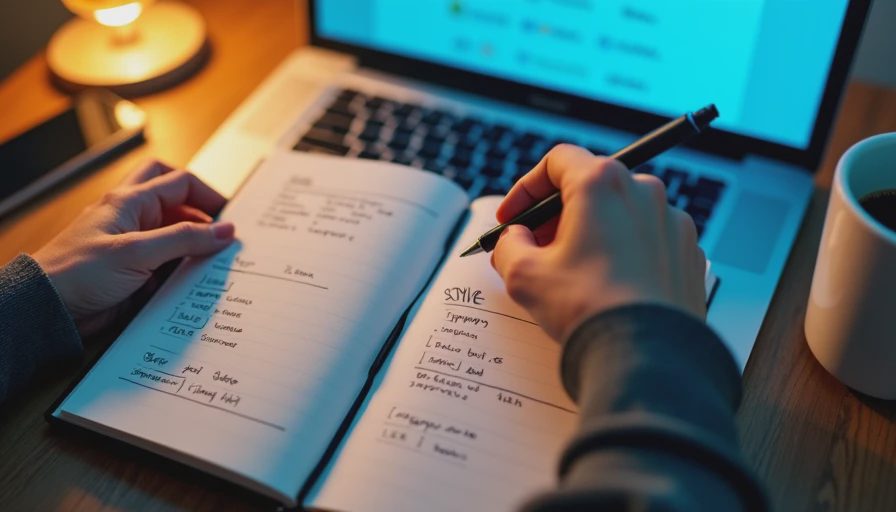
Step 1: Define the style. I wrote a one-page style guide. Colors. Fonts. Mood. Composition. I used AI to help me describe it in words.
Step 2: Generate a template. I used AI to generate a set of visual templates. Three layouts. Reusable.
Step 3: Generate 30 images. I used AI to generate images for each post. Same prompts. Same style.
Step 4: Review and select. I reviewed all 30 images. I picked the ones that matched the style. I discarded the ones that didn't.
Step 5: Format and schedule. I formatted the posts. I scheduled them. Done.
Five steps. About 3 hours.
The Prompts
Here are the exact prompts I used.
Prompt 1: Define the style
"I'm creating a consistent visual style for social media posts. The brand is [description]. The audience is [description]. The mood is calm, modern, and friendly. Write a one-page style guide with: color palette, typography, composition rules, and mood. Use plain language. Be specific."
Prompt 2: Generate a template
"Based on this style guide, create three social media post templates. Each template should be 1080x1080. Include: background color, text placement, image placement, and a clear visual hierarchy. Describe each template in detail."
Prompt 3: Generate images
"Generate an image for a social media post about [topic]. Style: calm, modern, friendly. Palette: [colors]. Composition: minimalist, with space for text. Do not include text. Do not include people. Focus on abstract shapes and natural textures."
The Result
Here's what the workflow produced.
Style guide (AI-generated):
Colors: Warm cream (#F5F0E6), soft navy (#1E2A38), muted teal (#3A8DFF)
Typography: A clean geometric sans-serif for headers. A humanist sans-serif for body text.
Composition: Minimalist. Plenty of white space. One focal point. Text on the left or top. Image on the right or bottom.
Mood: Calm, modern, friendly. Not corporate. Not loud.
Templates (AI-generated):
Template A: Full-bleed image with a semi-transparent overlay. Text centered.
Template B: Split layout. Image on the right. Text on the left.
Template C: Top image, bottom text. Simple. Clean.
Images (AI-generated):
I generated 30 images. About 20 matched the style. About 10 didn't. I discarded the 10 and generated replacements.
What I edited:
I added text overlays. I adjusted the colors slightly to match our brand. I added our logo. I formatted the posts for each platform.
What the Workflow Does Well
It's fast. Three hours for 30 posts. That's about 6 minutes per post. That's faster than designing each one by hand.
It's consistent. The AI-generated images matched the style guide. Same palette. Same mood. Same composition.
It's reusable. I can use the same prompts next month. Same style. New posts.
It gives me a starting point. Instead of staring at a blank canvas, I have 30 images to react to.
It's scalable. I can generate more images if I need them. Same prompts. Same style.
What Still Needs My Attention
It misses brand specifics. The AI doesn't know our logo. It doesn't know our exact brand colors. It doesn't know our tone. I had to add those.
It misses context. The AI doesn't know what the post is about. It just knows the topic. I had to make sure the image matched the message.
It misses nuance. Some images were technically on-brand but felt wrong. Too cold. Too generic. Too abstract. I had to discard them.
It misses typography. The AI generated images, not text. I had to add the text myself. That's where most of the time went.
It misses the human eye. The AI doesn't know what looks good. It knows what matches the prompt. Those aren't the same thing.
The Math
Without the workflow: Designing 30 posts by hand would have taken about 8 hours.
With the workflow: Defining, generating, reviewing, and formatting took about 3 hours.
Time saved: About 5 hours. That's real.
What I'd Change
I'm still refining the workflow. Here's what I'm considering.
Adding a "do not include" list. Something like "Do not include people. Do not include text. Do not include logos." That might help.
Adding a reference image. Something like "Here is an example of the style I want." That might help.
Adding a "mood" line. Something like "The mood should be calm, not corporate." That might help.
Using a better image generator. The one I use is fine, but it sometimes produces generic images. I'm testing alternatives.
My Question for You
What does your visual workflow look like?
Do you use AI for social media images? Do you use a designer? Do you use a template?
I'm curious what works for other people. I've been using this workflow for a few weeks. It's not perfect, but it's better than designing each post by hand.

