
What I Was Trying to Accomplish
I host a small podcast.
Not a big one. About 2,000 downloads per episode. But it's consistent. Every two weeks, a new episode. Every episode needs an outline.
The outline is the hard part. Not the recording. Not the editing. The outline. I need to know what I'm going to say, in what order, and why it matters. Without an outline, I ramble. I lose the thread. I forget the best points.
So I decided to try using AI to draft the outline. I gave it the topic, the audience, and a few notes. It gave me a structure in 30 seconds.
Then I spent 45 minutes editing it. Here's what happened.
What I Used
Tool: A general-purpose AI assistant (free tier)
Task: Draft a podcast outline for a 30-minute episode
Input: A topic, an audience description, and a few bullet-point notes
Time available: 1 hour (30 minutes for the draft, 45 minutes for editing—I went over)
Goal: An outline I could record from
The Prompt
Here's the exact prompt I used.
"I'm planning a 30-minute podcast episode. Topic: how to use AI for customer follow-up without sounding robotic. Audience: small business owners and freelancers. They're not technical. They want practical advice.
Here are my rough notes: [notes].
Create an outline for the episode. Include:
An introduction (2-3 minutes)
Three main sections (5-7 minutes each)
A conclusion (2-3 minutes)
A call to action
For each section, include 3-4 bullet points. Keep it conversational. Do not write a script."
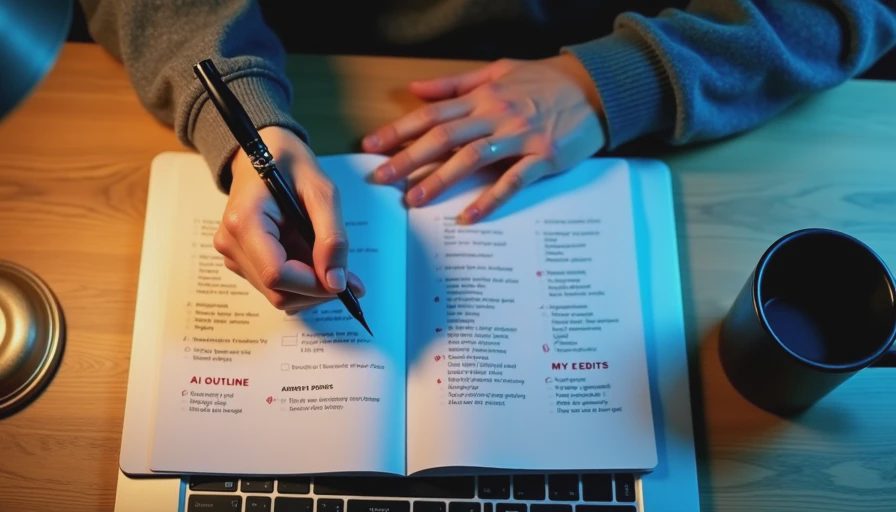
The First Outline
The AI produced an outline in about 30 seconds. It looked like this.
Introduction
Why follow-up matters
The problem with generic follow-up
What this episode covers
Section 1: The Problem with Generic Follow-Up
Why generic follow-ups don't work
The cost of sounding like a robot
What customers actually want
Section 2: How AI Can Help (Without Sounding Like a Robot)
Using AI to draft follow-ups
Adding personal details
Keeping the human touch
Section 3: A Simple Follow-Up Workflow
Step 1: Gather context
Step 2: Draft with AI
Step 3: Edit for tone
Step 4: Send
Conclusion
Recap the main points
Encourage listeners to start small
Call to Action
Subscribe to the newsletter
Share the episode
It was a structure. It was logical. It was generic.
What I Edited
I spent about 45 minutes editing the outline. Here's what I changed.
I added context. The AI didn't know my audience. It didn't know my podcast. It didn't know what I'd already covered in past episodes. I added specific examples and references.
I added personal stories. The AI gave me categories. I replaced them with stories. A story about a follow-up I sent that went wrong. A story about a follow-up that worked. Those stories are the reason people listen.
I cut Section 3. The AI gave me three main sections. I only had time for two. The workflow section was too much for a 30-minute episode. I folded it into Section 2.
I changed the order. The AI put "the problem" first. I put "a story" first. Starting with a story hooks listeners. Starting with a problem is boring.
I added a specific question. The AI gave me a generic call to action. I replaced it with a specific question I want listeners to answer.
I changed the title. The AI gave me a generic title. I made it more specific.
I added "listener questions." The AI didn't include a section for listener questions. I added one. It's where I read questions from past episodes and answer them.
What the AI Did Well
It gave me a structure. I didn't have to think about how to organize the episode. The AI gave me a starting point.
It was fast. Thirty seconds to get an outline. That's faster than staring at a blank page for ten minutes.
It followed my prompt. I asked for an introduction, three sections, a conclusion, and a call to action. It delivered.
It gave me something to react to. When I have an outline, I can edit it. When I have a blank page, I have to create.
What Still Needed My Attention
Context. The AI didn't know my audience. It didn't know my podcast. It didn't know what I'd already covered.
Personal stories. The AI doesn't have stories. I do. Those are the most important part.
Length. The AI gave me too much. I had to cut.
Order. The AI's order was logical but not engaging. I had to reorder.
Voice. The AI's outline didn't sound like me. I had to rewrite it.
Specificity. The AI's bullet points were generic. I had to add details.
The Math
Without AI: Writing an outline from scratch took about 45 minutes.
With AI: Drafting, editing, and finalizing took about 1 hour 15 minutes.
Net time cost: 30 minutes.
Wait. That's worse. Let me explain.
The AI draft took 30 seconds. But the editing took 45 minutes. If I'd written the outline from scratch, it would have taken 45 minutes total. So the AI didn't save time. It added time.
But that's not the whole story.
The outline I ended up with was better than the outline I would have written. It had more structure. It had better sections. It had a clearer flow. The AI gave me a starting point that I could improve. Without that starting point, I would have settled for a worse outline.
So it's not about time saved. It's about quality improved.
What I'd Do Differently
I'm still figuring out the best way to use AI for podcast outlines. Here's what I'm considering.
Use AI for structure, not content. The AI is good at structure. It's not good at stories. I'll use it for structure and add stories myself.
Use AI for multiple options. Instead of one outline, I'll ask for three. Then I'll pick the best one and edit it.
Use AI for the first draft only. I won't expect the AI to give me a finished outline. I'll expect a starting point.
Use a different prompt. I'm testing a prompt that asks for fewer sections and more specific bullet points.
My Question for You
How much editing do you do after AI drafts a podcast outline?
Do you use AI for outlines? Do you use it for scripts? Do you skip AI and write everything yourself?
I'm curious what works for other people. I've been using this workflow for a few weeks. It's not perfect, but it's better than staring at a blank page.

